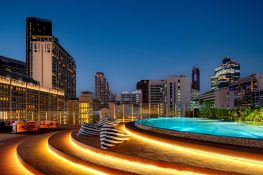

Since it opened in 1964, Siam Square has been a hangout favorite, a dating spot, almost a second home. It’s where we Bangkokians grew up (or at least pretended to grow up) and it’s where we still go for the latest fashions and trends. Despite the protests and the fires, it remains the heartbeat of the city. BK returns to Siam Square to find that while some things have disappeared, many old favorites remain and there are plenty of new friends to get to know as well.
Classic Siam
Sat amid the fly-by-night fashion boutiques and cafés of Siam Square, here are some classic shops that have stood the test of time.
Fashion » Foong
266/1-2 Siam Square Soi 3, 02-253-1303, 02-252-5943. Open daily 9am-8pm
Right next to the cutting-edge Digital Gateway, in Siam Square soi 3, this small shop house sells big-haired lady fashion. Foong Sirifar opened her self-titled shop to offer made-to-measure designs for fashionistas back in the 70’s. Foong has seen plenty of trends come and go since it opened over 30 years ago. From two shophouses to just one and from couture-only to some ready-to-wear collections, Foong has managed to survive changing tastes and is now best known for their finely tailored dresses.
Fashion » Issue
Siam Square Soi 3, 02-658-4416. Open daily 11am-9pm
Owner and designer Roj Singhakul has been showcasing his love for Asian styles and ethnic details at this store for over a decade. His oriental collection of jeans, shirts and printed dresses ranges from items inspired by the Ramayana epic to his latest pieces featuring the mysterious lost civilization of Lemuria. One thing you can be sure of is that this store contains items that are always distinctive.
Fashion » Nong Bow
200-2 Siam Square Soi 1, 02-250-1813. Open daily 1-9pm
Though not originally at Siam Square, Nong Bow made the move from MBK almost 10 years ago. The store is best known for stocking luxury brand products, from the latest Hermes Birkin to limited Comme des Garcons jeans, at cheaper prices than the actual brand stores. As well as offering credible authenticity for less, Nong Bow also stocks many rare high-end fashion items that are not available elsewhere in Thailand.
Fashion » WWA
Siam Square Soi 4, 02-658-4686. Open daily 1-9pm.
WWA hides itself behind such a low-key black entrance that you might have been walking past this place for a decade without noticing it. Stepping through the door, a narrow staircase leads you up to a compact showroom filled with avant-garde and deconstructionist style clothes: t-shirts with extra-long sleeves, pumps with winding ankle straps and dresses you won’t know where to put your arms in. As it’s been here over ten years it’s evident that there is an army of loyal fashionistas who adore WWA’s out there ideas.
Music » DJ Siam
Siam Square Soi 4, 02-251-2513. Open daily from around noon
This small CD corner at Siam Square Soi 3 might not look like much but it’s one of the hottest music spots in town and a Siam Square landmark. This is where generations of teenagers have come to buy the latest albums from mainstream Thai and international artists. It’s so well known that artists often use it as the site for their record launches. Even more famous than the store is the owner, Piak DJ Siam (Thanachote Piansema) who has been in the business for nearly 20 years.
Music » Do Re Mi
422/6 Siam Square Soi 11, 02-251-4351. Open daily 1-10pm
Music lovers with more eclectic tastes head to this tiny shophouse packed with thousands of CDs for rare albums by alternative non-Thai artists. But like DJ Siam, the owner, Paa Do (as regulars usually call her) is almost more famous than the place. Despite her old-teacher look, her musical knowledge is legendary. No matter what you are after—jazz, alternative, indie, rock, pop or trance—she’s always available to answer questions.
Books » Odeon Store
218/10-12 Siam Square Soi 1, 02-251-4476. Open daily 9am-8pm
“Our first store was at Siam Theatre and when Scala Theatre was completed (in 1969) we moved to where we are now,” says current manager Pornpimol Amornworanat. At first, the store retailed imported books and magazines but now it dedicates most of the four-shophouse space to Thai books (covering everything from exam guides to romantic novels), magazines and some stationery.
MovieS » Scala Theatre
Siam Square Soi 1, 02-251-2861. Open daily from 10am
Though the Siam Theatre was destroyed in the recent upheaval there are still two classic movie houses for people to enjoy: the Apex Theatre Group’s Lido and Scala cinemas. Though Lido (completed 1968) is older, the Scala has always been the star. Completed a year later, it was designed to be the most luxurious theatre of its time. The name Scala means “stairs” in Italian and you have to ascend an opulent staircase up to the art deco atrium and its glittering chandelier to get into the 1,000-seat cinema.
New Siam
The headquarters of Thai teen-dom has recently welcomed three new arrivals.
TECH » True Digital Park
1-4/F, Digital Gateway
Stretched over four floors and occupying one whole corner of the cutting edge Digital Gateway, True Digital Park is the fourth True Corporation outlet in the Siam area (after True Coffee Soi 3, True Urban Park Siam Paragon and True Shop Soi 2). It certainly has its own digital style courtesy of lots of clear glass, black walls, bleached wood furniture, LCD screens and even some artificial grass. The first floor is home to True Coffee where students and freelancers can enjoy their drinks at tables that come complete with plug sockets to charge up their multiple gizmos. Gadget geeks should head to the second floor where they can find the latest Truemove products (that means iPhone, Blackberry, Motorola Milestone) as well as get free advice on what True package will match their lifestyle. Next floor up is where True Visions, the cable/satellite TV arm of the brand, struts their stuff and the latest technology including the recently launched HD TV channels. If you make it that far, the top floor is home to a digital “park” with a floor covered by green artificial lawn. Tables and computers offer spots for quiet study time or afternoon meetings. Access to all floors is free but, rather surprisingly, you have to pay to use the WiFi.
FASHION » Superrzaaap
Siam Square Soi 10. Open daily 1-8pm
Dek naew’s favorite street wear brand has now moved from the second floor in Siam Square soi 2 to a proper store in Siam Square Soi 10. The dark blue exterior with four golden ducks in the window conceals a wide range of Superrzaaap merchandise from t-shirts to BlackBerry cases, as well as a selection of items the owners have imported from overseas.
CHILL » Park @ Siam
Next to Wittayakit (The British Council) Building
Many of you might not realize that the parking lot of Chulalongkorn’s Faculty of Pharmacy has been converted into a small green space to add a little more oxygen to Siam Square. The newly-named 4-rai “Park @ Siam” was designed by a team of professors and students from the Faculty of Architecture so actually it looks nice. With its wide lawns and big trees offering plenty of shade, this is an appealing, laid-back destination to relax and watch the world go by.
Classic Kitchens

Jutharos
Siam Square Soi 11, 02-251-6801/0307
At first glance you wouldn’t know that Jutharos celebrated its 40th anniversary last year. With its contemporary, slightly funky interior of raw cement and stripped wood, it certainly doesn’t look its age. Despite the facelift, the kitchen has preserved its original menu that includes their famed pork and meat balls, soup noodles and pad thai.
Scala Restaurant
Siam Square Soi 1, 02-251-2863
Hidden underneath the fancy chandeliers and sweeping staircase of the Scala Theatre, the Scala Restaurant has been serving up Chinese delicacies since the cinema opened back in 1969. Don’t miss the Peking duck.
New Light
Siam Square Soi 11, 02-251-9591/-4
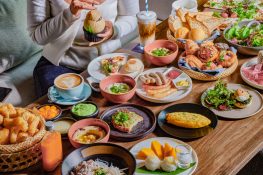
One of the first choices when you think of porridge (khao tom) in Siam Square, New Light Coffee Shop has been catering to hungry diners in its 70s style coffee shop for nearly 40 years. The waiters’ uniforms and general atmosphere are frozen in time. If you don’t like their Chinese options, then they’re also famous for Western-style steaks.
Seefah
Siam Square Soi 9, 02-251-5517
Though it doesn’t look that old, this traditional Thai-Chinese eatery first opened its Siam Square branch nearly 40 years ago. The restaurant has undergone a few renovations but still serves up the original and comforting Seefah menu that has been much loved since 1936.
Inter
Siam Square Soi 9, 02-251-4689
Famed for its delicious single-dish food and low prices, Inter Restaurant has been open since 1981. First located at Scala Theatre, it later moved to its current location near Seefah Restaurant. Fortunately they kept the menu unchanged, making it a perfect spot for uni students who want to stop by for a quick (and cheap) lunch or dinner. Highlights have to be the fried rice dishes.
Hard Rock Café
Siam Square Soi 11, 02-251-0797
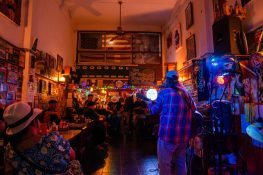
Before electro and pop, there was rock ‘n’ roll, and in that world Hard Rock Café was king. And 19 years later this branch, the very first in Thailand, is still proving popular with students (for the drink deals), rock lovers (for the bands) and tourists. The old favorite is starting to feel its age and the wood clad bar and restaurant is undergoing a major facelift later this year.
BK Asks: What do you like about Siam Square?
Nitiphol Temprim, 30, graphic designer
“Even though times have changed, Siam hasn’t. It has remained the place to go for every teenage generation. We can’t change the past but we can rebuild it. Who knows, it might even look better than it used to.”
Pasaraporn Mongkolrueangrawi, 30, business owner
“I have been coming to Siam Square since I was a junior high school student studying in a tutor-course. In my opinion, all in my generation love Siam. It’s a place that holds many special memories, especially for those who went on a date here.”
Nuttaphol Onaree, 31, freelance photographer
“Everyone used to be a teenager and Siam is the place for teens to come and get an update on the latest trends of fashions and ideas. Siam is Siam. I love to spend time here, to see the motion of change in Siam. The hottest new thing always begins at Siam.”
Phongsiya Pradityont, 27, shop owner, 73 Saint Germain
“Siam Square is always the Siam Square that people have known—no matter what happens. And it’s definitely coming back to life so let’s make sure we get the same feel and the same atmosphere.”
Theerathat Klaisuwan, 23, shop keeper at Nadz
“Siam Square remains the center of everything, from the latest fashions to the cutest girls. (laughs) I also love the small noodle shop near Scala Theatre—so yummy. If you haven’t tried it yet, please do.”
Premsini Tarasantisuk, 29, shop keeper at Pony Stone
“Siam Square is like nowhere else. It has a feel and atmosphere that you can’t get from shopping malls. Most of the stuff comes from young designers or small brands so you can be sure your shirt won’t be a mass produced product.”